
Video Link: https://youtu.be/qwzyQBVvA0Q
Go to "My Store".Then, navigate to "Blogs".

Click on the "Add blog post".

You need to fill in the following details to create a blog post.
Title
Enter a suitable and catching title for your blog post

Description
Add the blog content.

Summary
Add the product summary to reflect on the blog page for this blog post.

Search Engine Snippet
Title- The title represents the page's topic displayed in search results to help users decide which result to click on.
Description- description provides a brief overview, displayed in search results to help users decide which result to click on.
URL- SEO friendly URL.

Visibility
Visible- display the blog post to users on the store
Hidden- Hide the blog post on the store from users.
Set visibility date- You can create the blog post and use this option to make it visible in the coming days and at a certain time by setting the visibility date/time.

Featured Image
Click on "Add file" to upload a featured image for your blog post.

Authors
Click on the drop-down button to see the list of available authors and select the preferred one.

Category
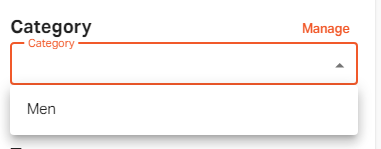
You can click on the "Add category" button to create a new category.

Select the category from the list of already created categories.
Click on the "Manage" button if you want to update the category title.
Click on the "Edit" icon.

Enter the new title and click on the "Update" button.

Write the tag in the field and click on enter. You can add multiple tags for your blog post..

Click on the save button to "Save" the blog post.

If you still can't find an answer to what you're looking for, or you have a specific question, open a new ticket and we'd be happy to help!
Contact Us